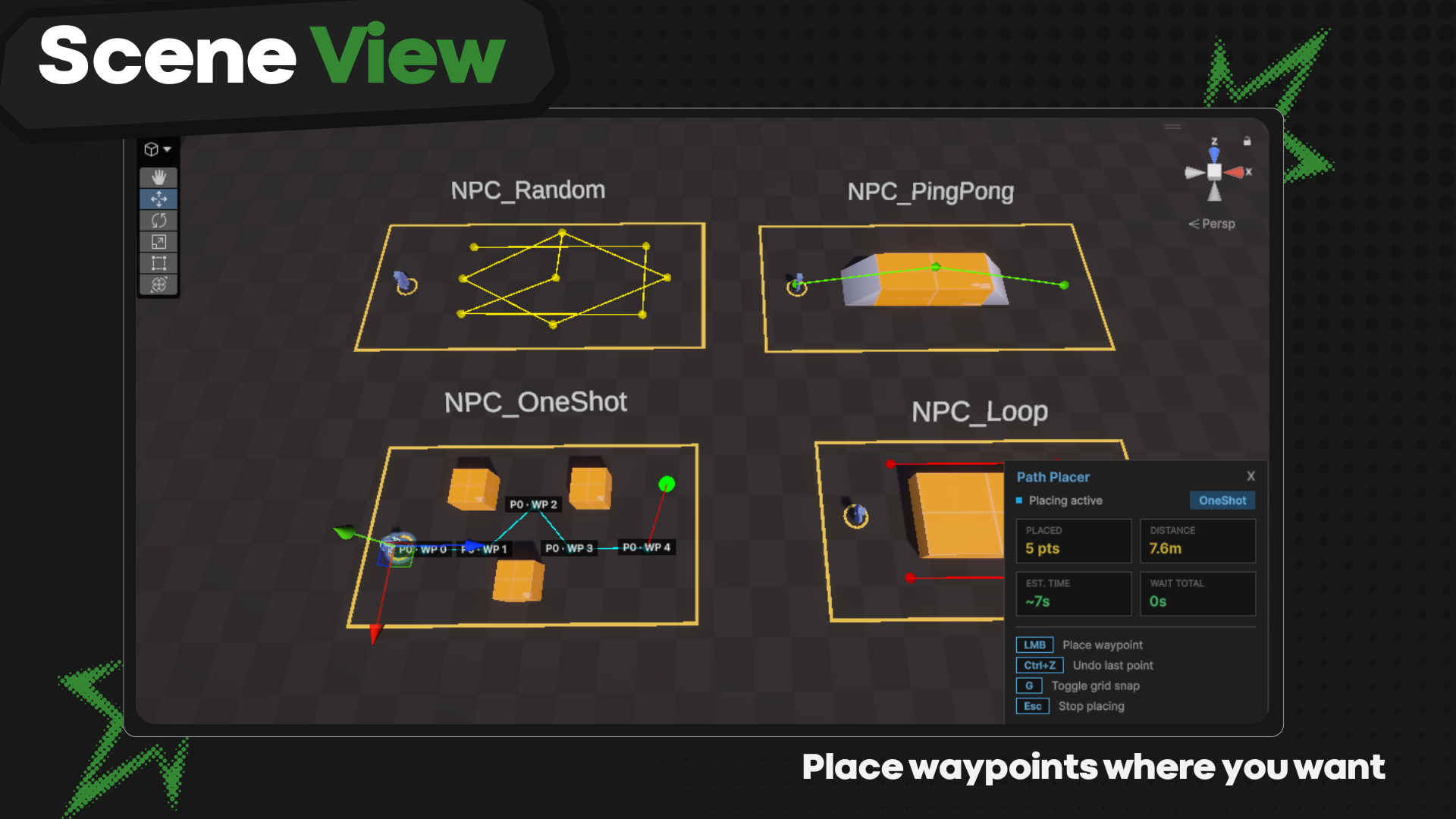
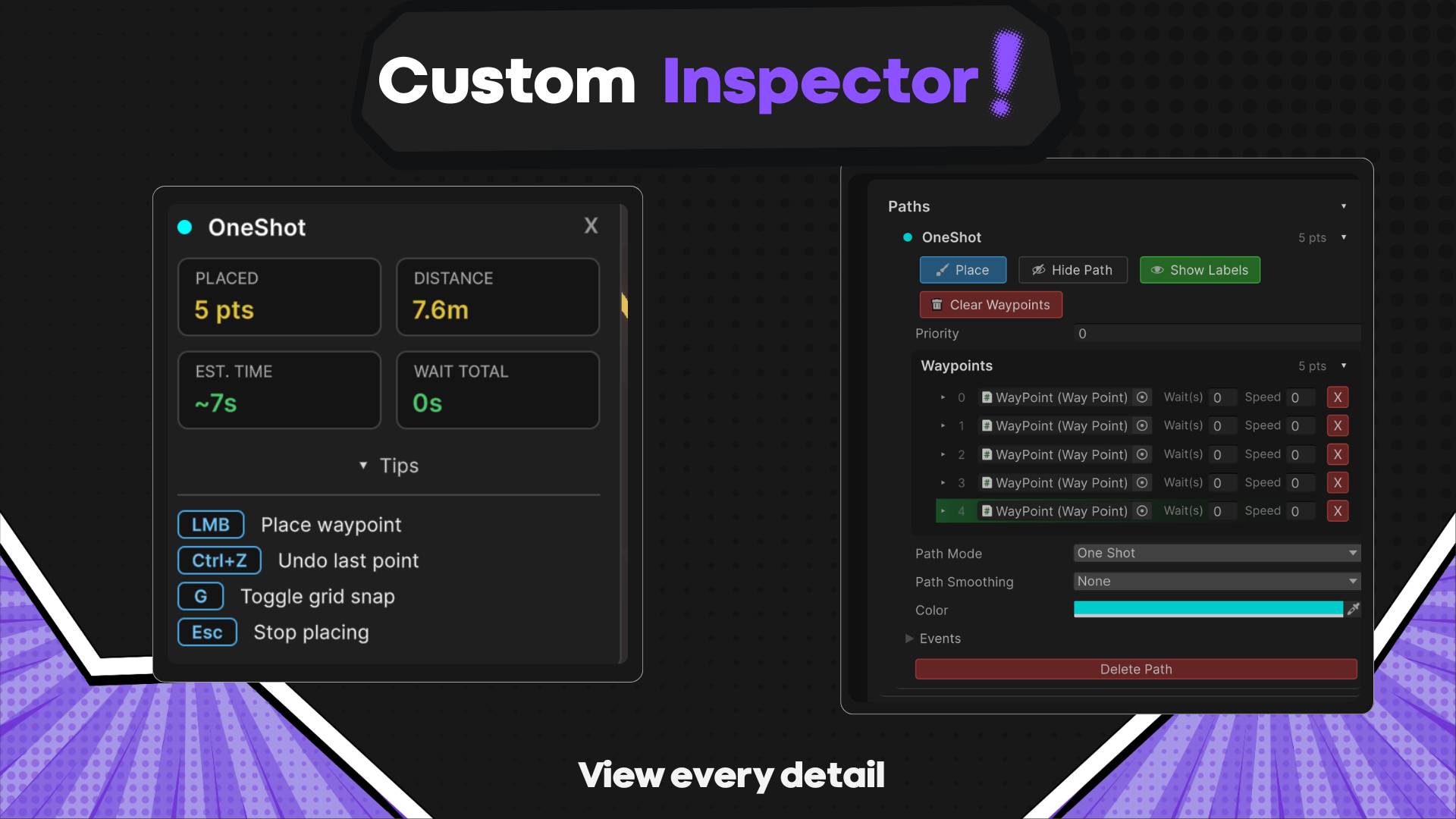
Scene View tooling
Built click-to-place routes with insertion, reordering, labels, colors, snapping, shortcuts, live distance readouts, and full Undo support.
Case file 004 · Shipped Unity tool
Visual NavMesh route authoring for Unity
A production-focused path system that lets designers create and edit NPC routes directly in the Scene View, then drive individual agents or crowds through configurable paths without setup boilerplate.
01 · The problem
Route systems are often configured through long Inspector lists, disconnected scene objects, or project-specific scripts. That makes a spatial task slow to understand and easy to misconfigure.
I designed Waypoint Path System around direct manipulation: create the route where it exists, see useful measurements while editing, and keep detailed behavior available without burying the common workflow.
Place the route in the Scene View. See what the agent will do before pressing Play.
02 · My contribution
Built click-to-place routes with insertion, reordering, labels, colors, snapping, shortcuts, live distance readouts, and full Undo support.
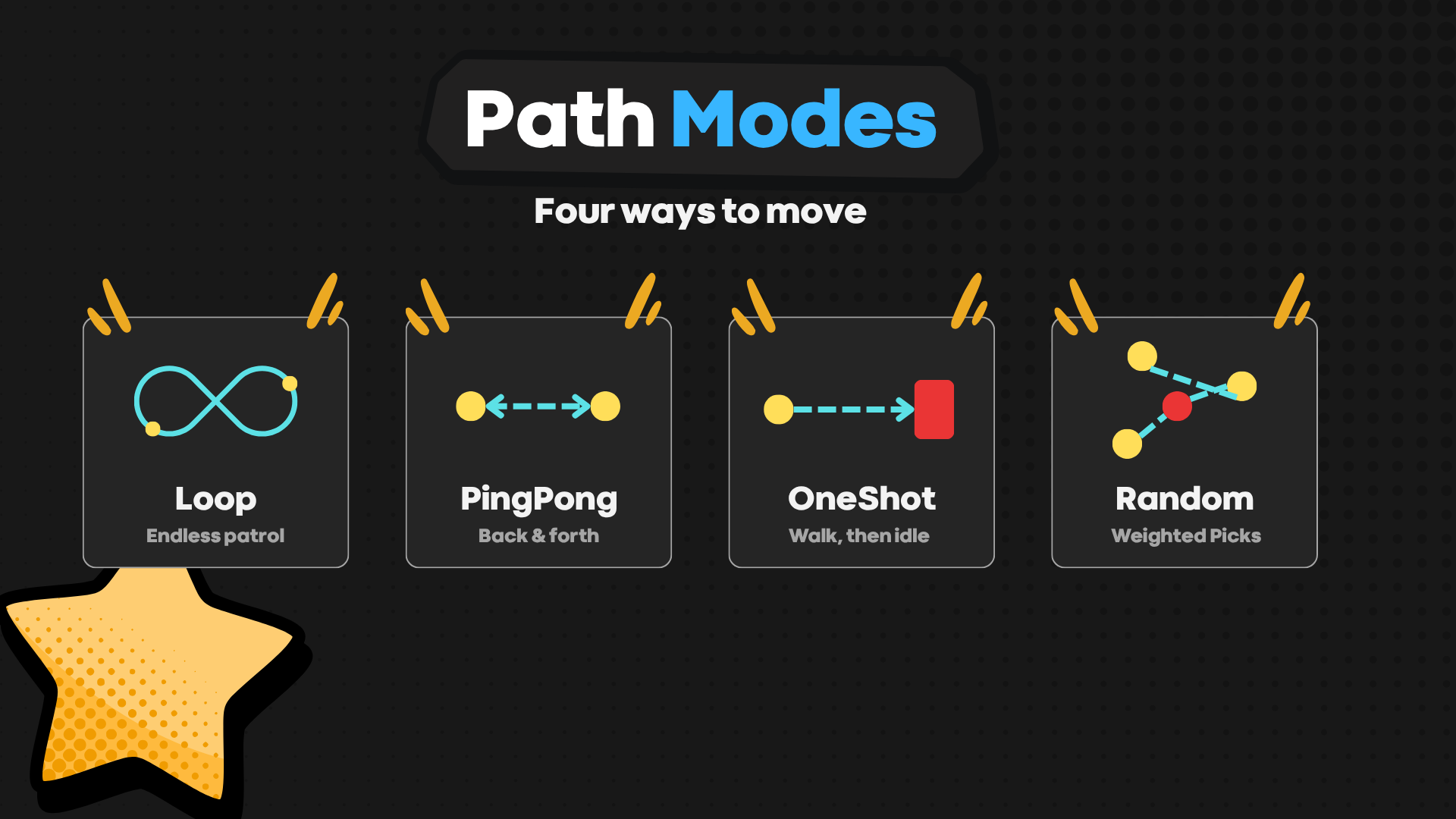
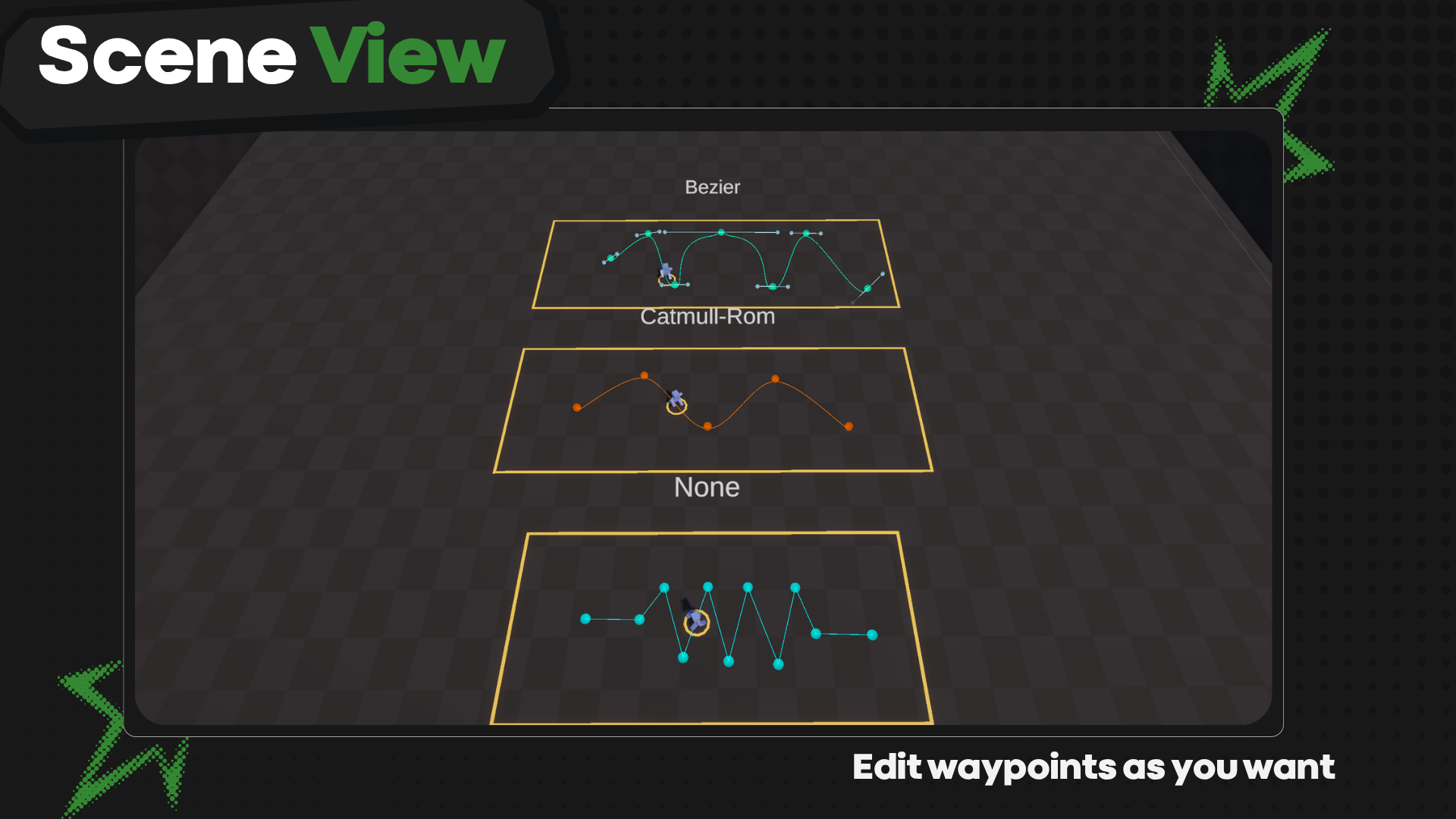
Implemented OneShot, Loop, PingPong, and weighted Random traversal with straight, Catmull–Rom, and Bézier path shapes.
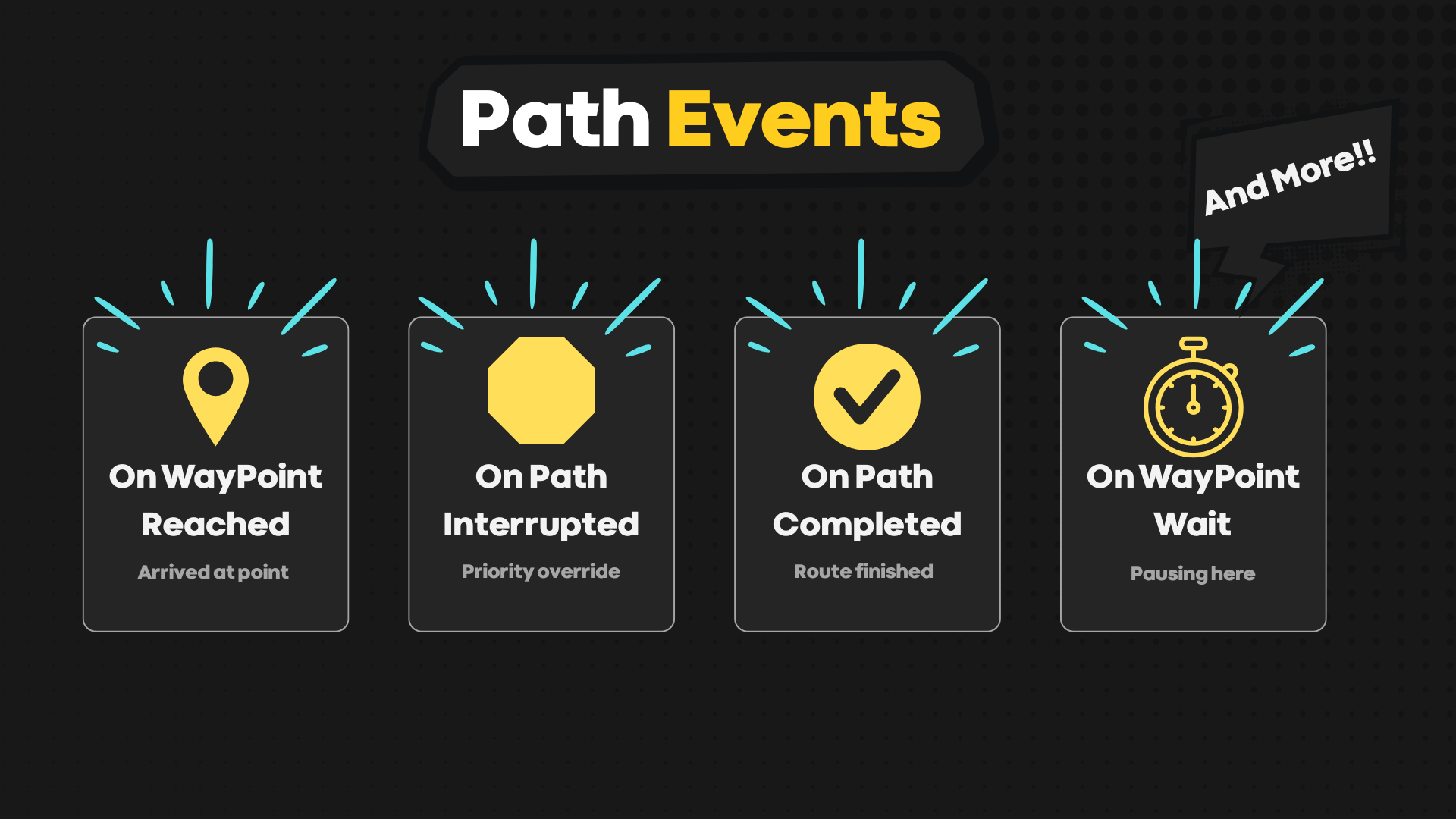
Added per-waypoint behavior, interruption and resume, animation syncing, save and restore, crowd controls, and UnityEvent hooks.
03 · The work
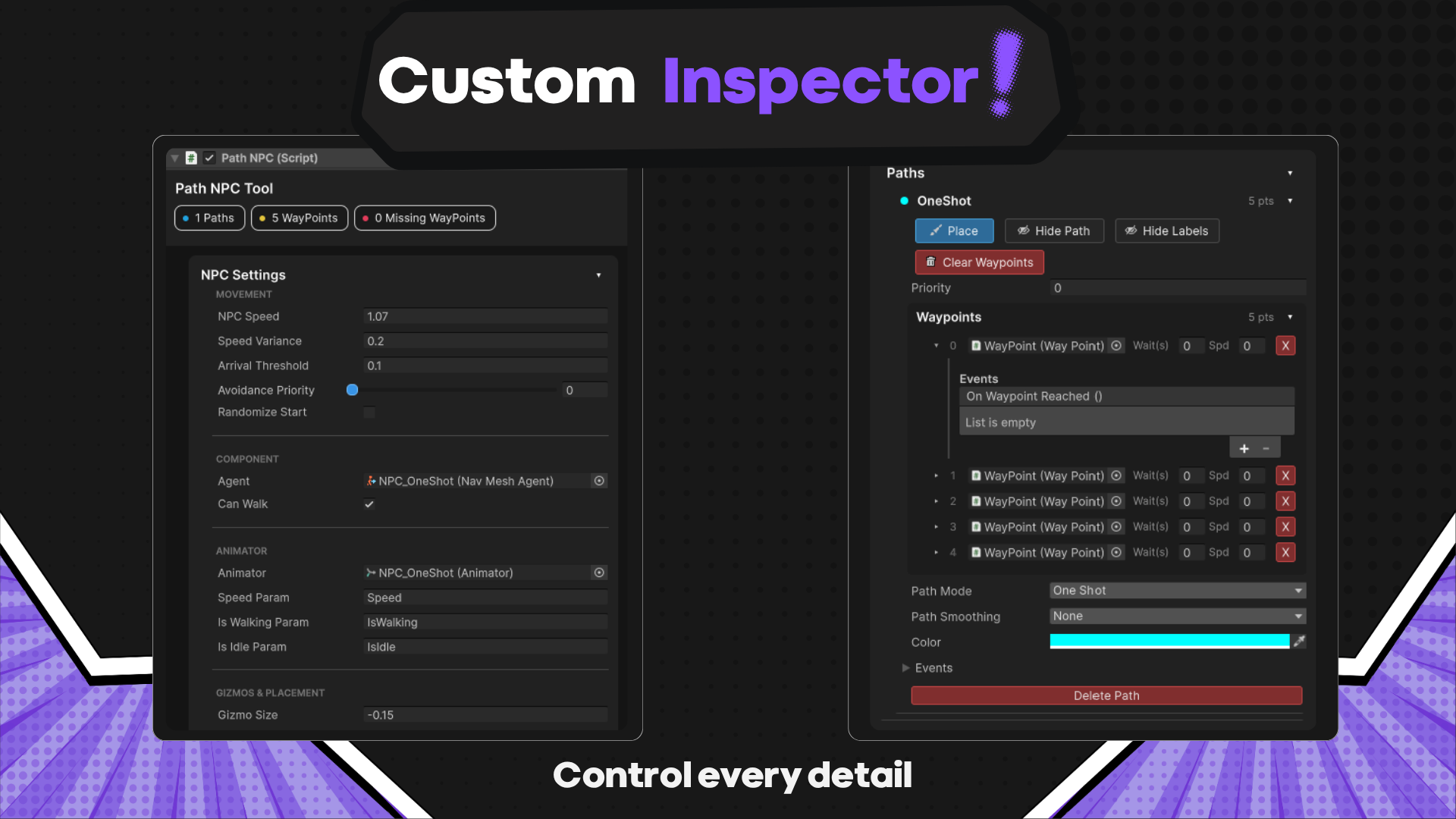
Waypoints are placed and adjusted in context. The Inspector remains available for precision, while the Scene View handles the spatial work.
A basic route works with a small setup, while traversal modes, curve controls, waypoint timing, events, and runtime priorities are available when a project needs them.
The tool integrates with NavMeshAgent, Animator, UnityEvents, and Undo so it behaves like part of the editor rather than a disconnected layer.
04 · Product tour
05 · Shipped result
Waypoint Path System packages the authoring experience, runtime control, documentation surface, and expected Unity editor behavior into one workflow. It is released as version 1.0.0 on the Unity Asset Store.